The working surface
A creative system that keeps every decision in view.
Storyloom brings planning, generation, comparison, arrangement, and stitching onto one infinite canvas without hiding the engine or choosing your models for you.

What changes
The canvas is the project, not a final destination.
Every source, branch, generated artifact, and selected sequence can stay visible while the work develops.
- 01
Think spatially
Arrange directions side by side and group related scenes into movable sections.
- 02
Work directly or delegate
Use typed forms and context actions, or ask the copilot to plan a connected sequence.
- 03
Keep the output portable
Persist locally, export a board archive, or connect your own compatible object storage.
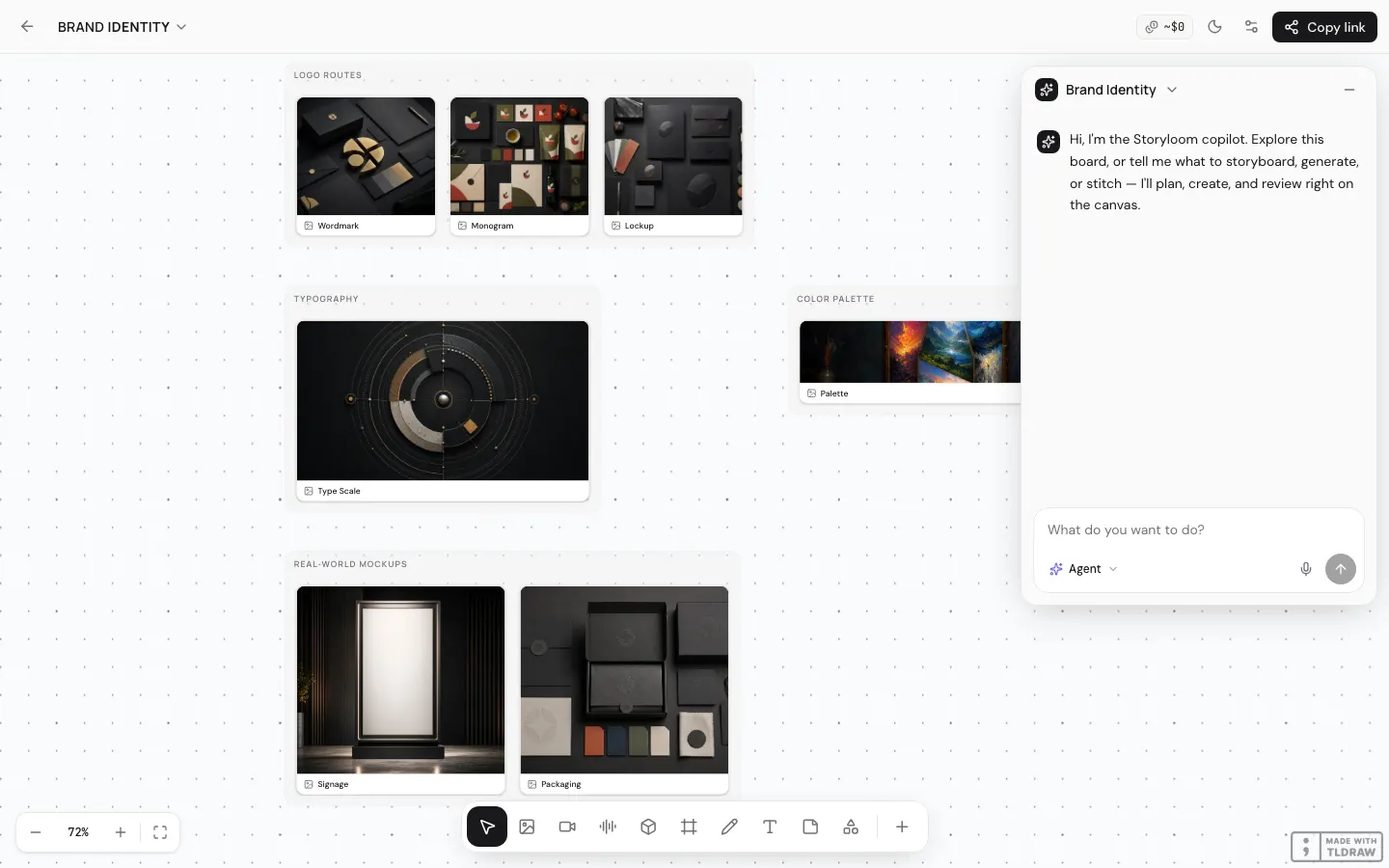
Infinite canvas
Versions have a place, not just a timestamp.
Storyloom uses tldraw as a direct-manipulation surface. Creative artifacts, notes, text, grids, and frames can live together while sections keep related work organized.
- Pan, zoom, select, arrange, and group on an endless board
- Keep rejected branches visible without making them current
- Move whole sections while preserving their internal layout
Direct creative controls
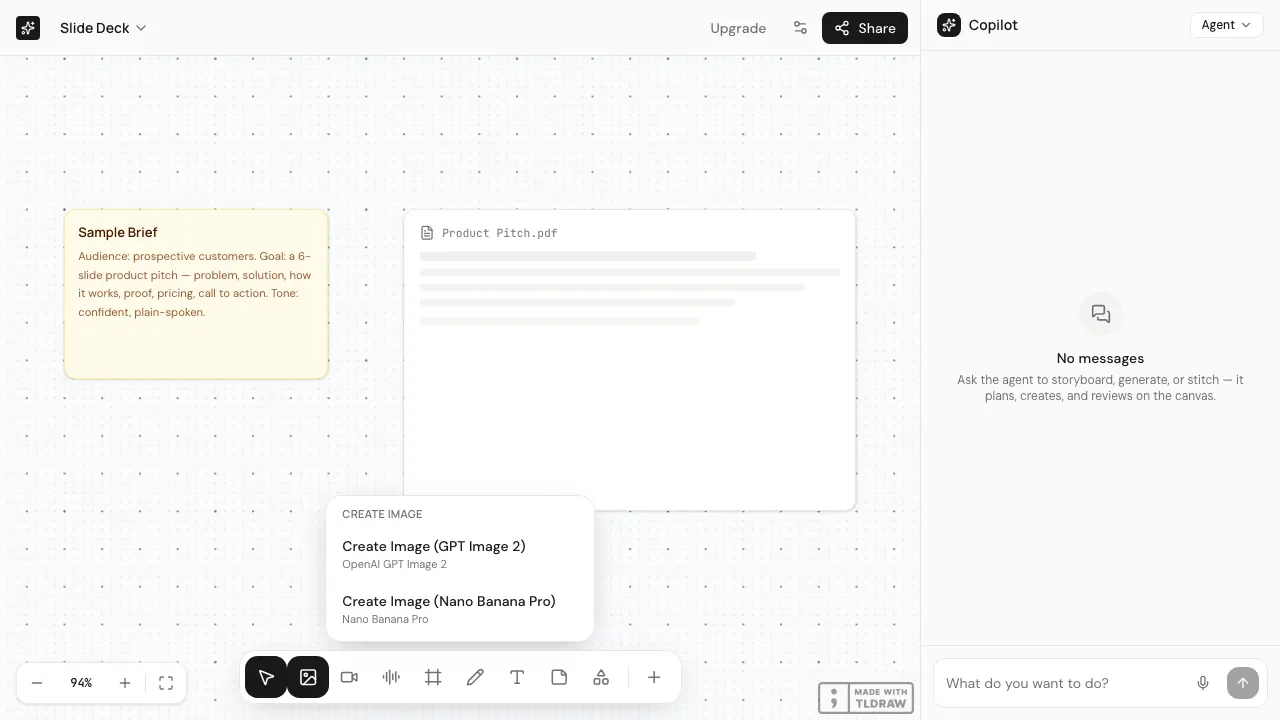
Use a tool when the next action is already clear.
A toolbar and selection-aware actions open validated forms for concrete operations. The copilot is available, but it is not a required layer between you and the canvas.
- Create text, notes, grids, frames, and media shapes
- Run actions against the current selection
- Keep keyboard and coarse-pointer targets accessible
Agent copilot
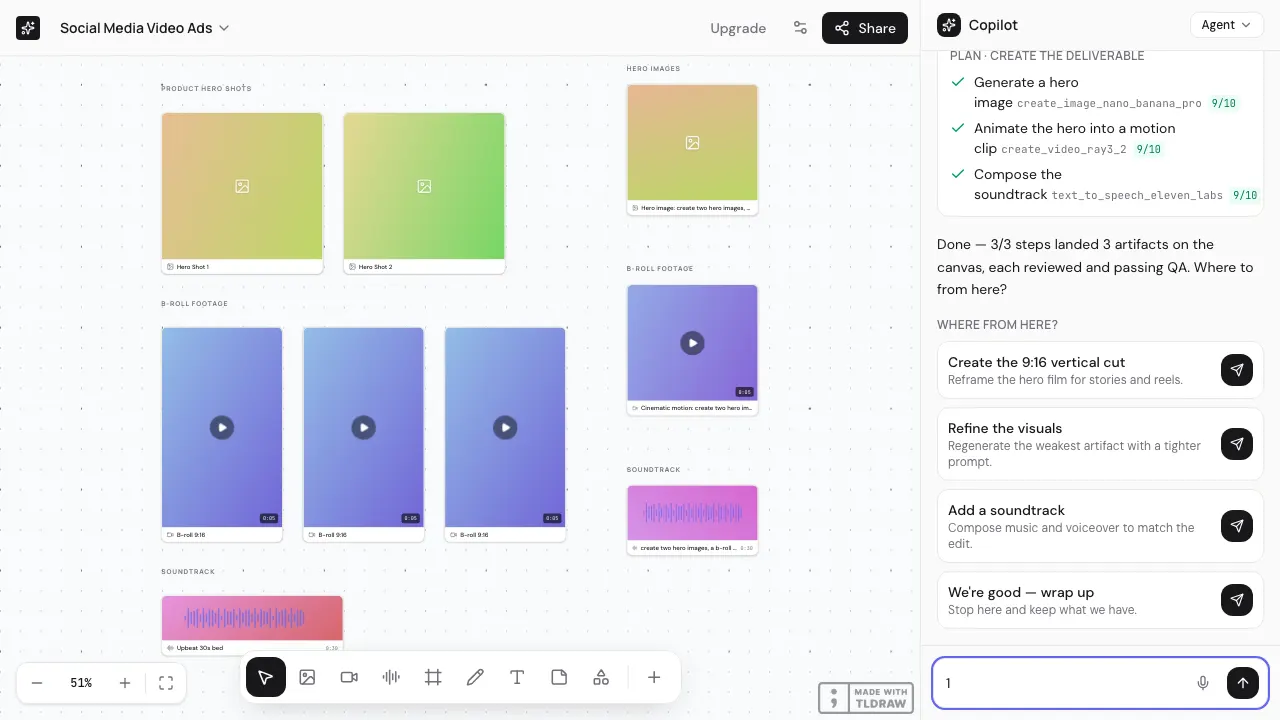
Turn an outcome into an inspectable plan.
The copilot decomposes a brief, estimates the work, executes approved actions, judges the outputs, and places them onto the board. No key means the same loop runs against deterministic placeholders.
- Plan → estimate → generate → judge → place
- Cost confirmation before provider-backed actions
- Visible turn log and outputs on the canvas
Model control
Pick the model for the shot. Keep the workflow.
The curated catalog spans image, video, audio, and 3D. A shared provider contract keeps model-specific execution behind the same action interface.
- Bring provider keys through the Extensions surface
- See unit pricing and latency hints stored in the catalog
- Swap models without moving the project into another tool

Portable engine
Build on the same action contract Storyloom uses.
The web UI is one shell over a factorable core. MCP projects the registry as tools, and the provider adapters remain replaceable.
- Zod-validated action inputs
- Submit, poll, retry, and observability seams in the job runtime
- Local FFmpeg composition outside the hosted generation path
Canvas controls ─┐
Copilot loop ───┼─▶ Actions registry ─▶ Provider adapters
MCP client ─────┘                    └─▶ Local stitcher
One action surface
Direct it from the canvas, the copilot, or your agent.
Every caller reaches the same typed engine before Storyloom hands work to a provider or the local stitcher.

A canvas that can grow with the system
Start with the work. Keep control of the machinery.
Open Storyloom without an account or a provider key. Add your own models when the direction is ready for production.